
Requirement - notification
As with all projects, when you think you have reached the end another requirements pops out! The requirement - to notify users that they started a time entry so they don't forget to stop it.
Solution approach
For the notification, I knew I had to use JavaScript. This is the approach I outlined:
-
- Create a new column on the Contacts table and call it "Active Time Entry?" of type Yes/No
- Add the column to the Contacts main form to quickly test the approach
- Add a JavaScript web resource with the following code:
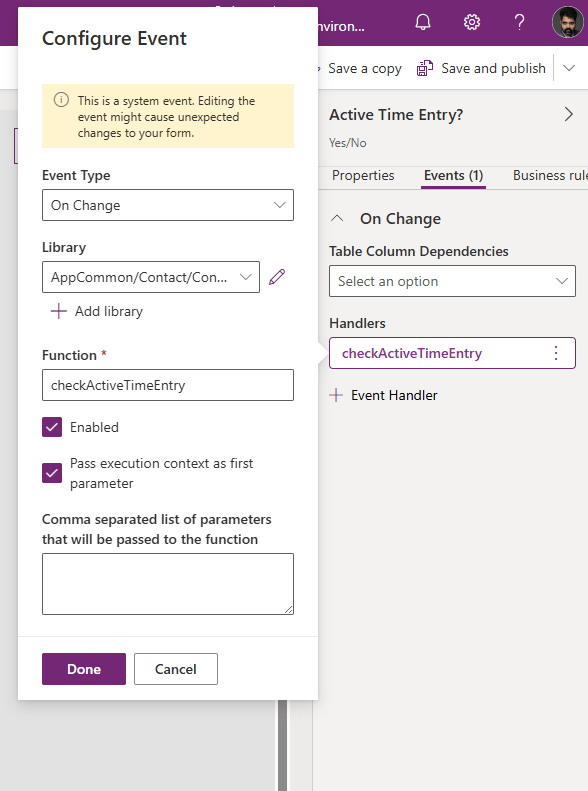
//function to check if there is an active time entry and show a notification function checkActiveTimeEntry(executionContext) { //get the form context var formContext = executionContext.getFormContext(); //retrieve the value of is active time entry column var isActiveTimeEntry = formContext.getAttribute("hbh_activetimeentry").getValue(); //initialize a variable tp control whether to shoa a notification or not var showNotification = false; //set the notification variable to true if there is an active time entry if (isActiveTimeEntry) { showNotification = true; } //show or clear the notification based on whether there is an active time entry or not if (showNotification) { formContext.ui.setFormNotification("TIME ENTRY RUNNING! Don't forget to end it!", "WARNING", "timeEntryNotification"); } else { formContext.ui.clearFormNotification("timeEntryNotification"); } } - Link the JavaScript web resource to the OnChange event of the "Active Time Entry?" column on the Contacts main form.
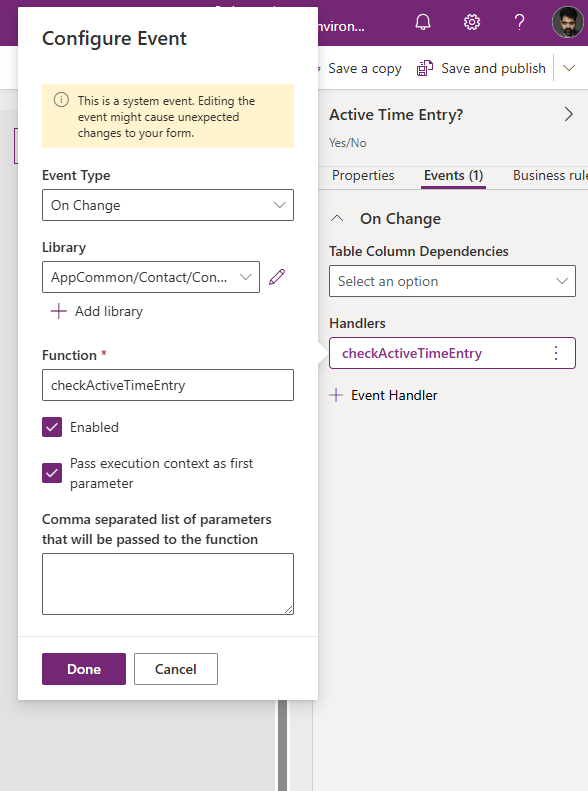
Linking JavaScript to the Contacts main form
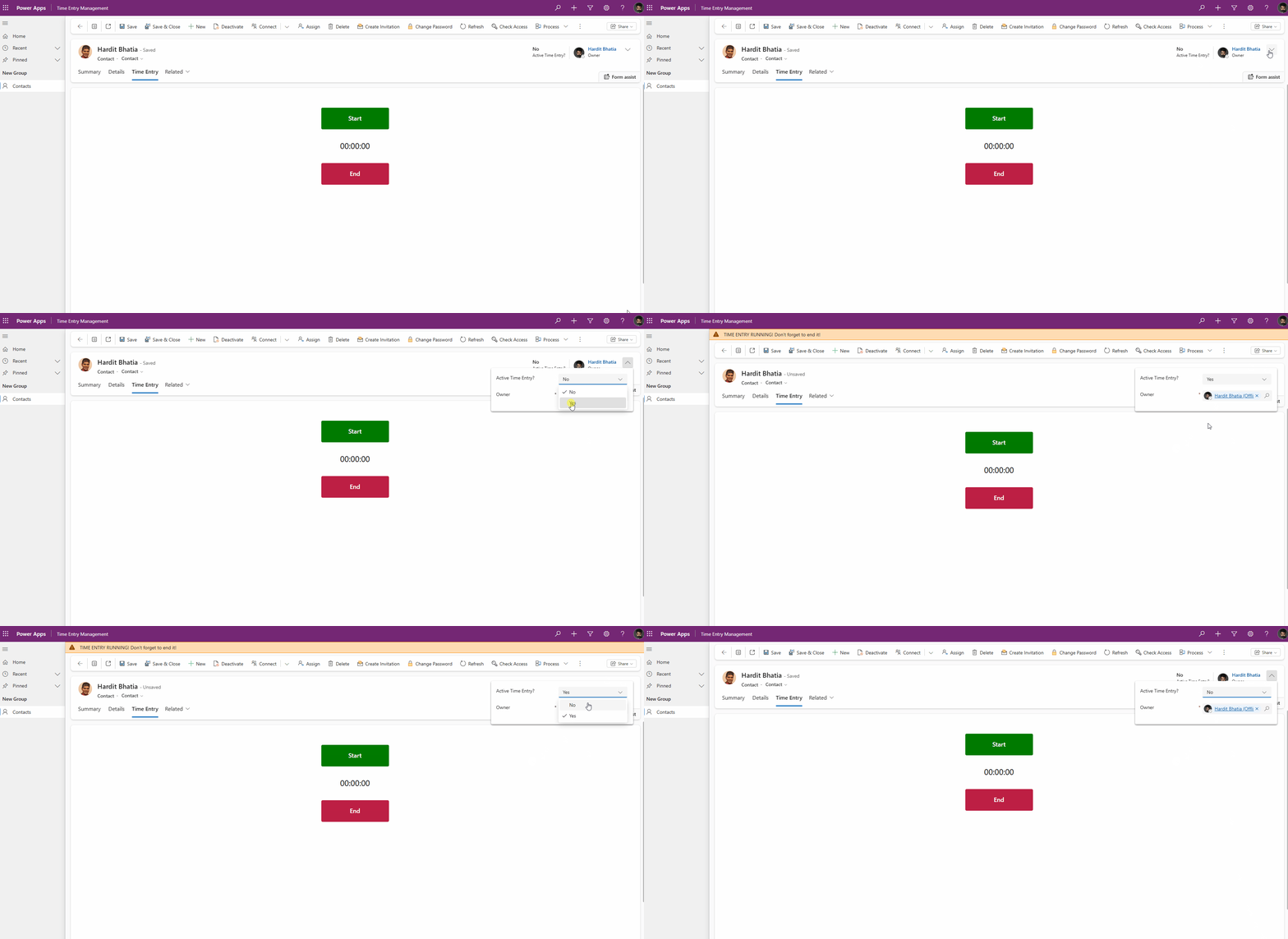
To test this approach out, I changed the value of the "Active Time Entry?" column manually on the form to test if my JavaScript was working or not. Here is a quick demo:
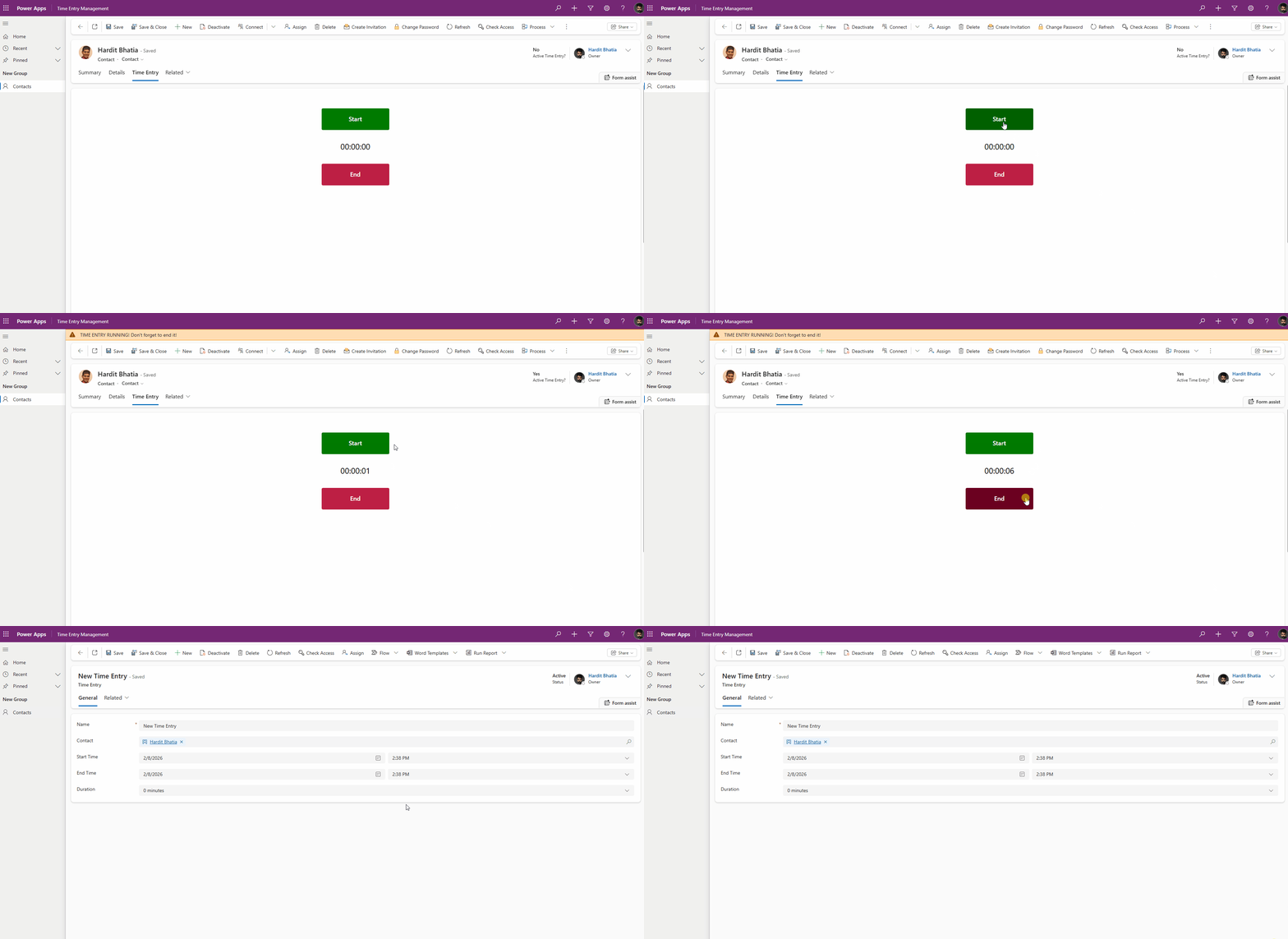
Then I went back to the embedded app, and updated the code for Start and End buttons to include Patch statements to update the "Active Time Entry?" column to Yes and No respectively.
Here is the final demo:
Recent articles
3 thoughts on “Notifications for time entry – a new requirement”